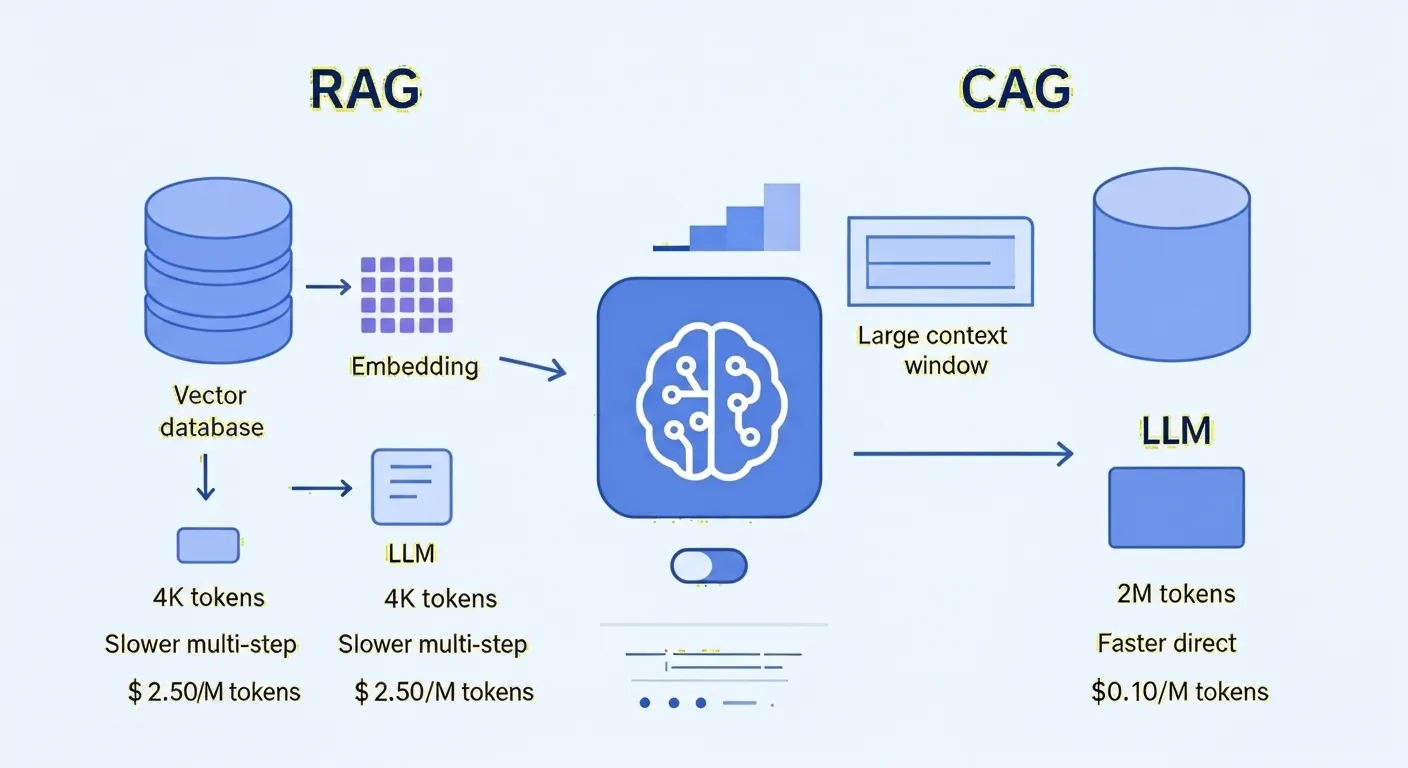
TL;DR: RAG and CAG both solve the same problem — giving LLMs access to knowledge beyond their training data — but at different points in the pipeline. RAG retrieves relevant document chunks per query. CAG preloads all documents into the context window and precomputes a KV cache, so subsequent queries skip retrieval entirely. CAG wins on latency and simplicity for small static datasets. RAG wins on scalability and data freshness for large dynamic knowledge bases.
The Knowledge Problem
LLMs can only recall what was in their training data. If something happened after training completed — a news event, a product update, a client’s purchase history — the model has no way to know about it. Both RAG and CAG exist to bridge this gap, but they take fundamentally different approaches.
RAG: Retrieve on Demand
RAG (Retrieval-Augmented Generation) is a two-phase system:
Offline phase — ingest and index knowledge:
- Start with source documents (PDFs, text files, web pages)
- Chunk them into manageable pieces
- Create vector embeddings for each chunk using an embedding model
- Store embeddings in a vector database, creating a searchable index
Online phase — retrieve and generate per query:
- User submits a question
- A retriever converts the question into a vector (using the same embedding model)
- Similarity search returns the top-K most relevant chunks from the vector database
- Those chunks are injected into the LLM’s context alongside the user’s question
- The LLM generates an answer grounded in the retrieved context
RAG is modular — you can swap the vector database, embedding model, or LLM independently without rebuilding the whole system. The model only sees what the retriever deems relevant for each specific query.
CAG: Preload and Cache
CAG (Cache-Augmented Generation) takes a completely different approach. Instead of retrieving knowledge per query, it front-loads all documents into the model’s context window in a single pass, then caches the result.
How CAG Works
- Preload all documents — format your entire knowledge base into one prompt that fits within the model’s context window (typically 32K–128K tokens)
- Single forward pass — the model processes all the knowledge at once. This could be tens or hundreds of thousands of tokens processed in one go
- KV cache creation — after processing, the model’s internal state is captured and stored. This is the key-value cache (KV cache), created by each self-attention layer. It represents the model’s encoded understanding of all your documents — the model has “read” and “memorized” everything
- Cache and store — the KV cache is saved in memory or on disk for reuse
- Query with cached context — when a user submits a question, the cached KV cache is loaded alongside the query. The model generates an answer using the pre-computed knowledge without reprocessing any of the original documents
- Cache reset (optional) — when the knowledge changes or memory needs freeing, the cache is recomputed
The critical insight: the KV cache is computed once, and every subsequent query reuses it. No embedding, no vector search, no retrieval step.
CAG with Granite Models
IBM’s implementation uses Granite models with the Hugging Face transformers library. The key component is a DynamicCache object that stores the KV representations after the initial knowledge processing:
# Preprocess knowledge into KV cachedef preprocess_knowledge(self, prompt: str) -> DynamicCache: input_ids = self.tokenizer.encode(prompt, return_tensors="pt").to(device) past_key_values = DynamicCache() with torch.no_grad(): outputs = self.model( input_ids=input_ids, past_key_values=past_key_values, use_cache=True, ) return outputs.past_key_values # This IS the cached knowledge
# Answer queries using the cached KV statedef run_qna(self, question, knowledge_cache): prompt = f"{question}<|end_of_text|>\n<|start_of_role|>assistant<|end_of_role|>\n" input_ids = self.tokenizer.encode(prompt, return_tensors="pt").to(device) output = self.generate(input_ids, knowledge_cache) return self.tokenizer.decode(output[0], skip_special_tokens=True)The cache can be serialized to disk (torch.save) and loaded for subsequent sessions, avoiding recomputation entirely.
RAG vs CAG: The Trade-offs
Accuracy
RAG — accuracy is tied to the retriever. If the retriever fails to fetch a relevant document, the LLM won’t have the facts to answer correctly. But a good retriever also shields the LLM from irrelevant information — it only sees what matters.
CAG — guarantees that all information is available (assuming it was included in the preloaded data). But the LLM must extract the right piece from a much larger context, which introduces the risk of confusion or mixing in unrelated information.
Latency
RAG — higher latency per query because each request incurs embedding generation, vector search, and LLM processing of retrieved text. Three steps before the answer.
CAG — lower latency once the cache is built. Answering a query is a single forward pass of the LLM on the user prompt plus generation. No retrieval lookup time. The upfront cost is paid once.
Scalability
RAG — can scale to millions of documents in a vector database. The model only sees a small slice per query. Add more documents without changing the system.
CAG — hard limit defined by the model’s context window. Everything must fit at once — typically 32K to 128K tokens (a few hundred documents at most). Even as context windows grow, RAG maintains a scalability edge for truly large knowledge bases.
Data Freshness
RAG — incrementally update the index by adding or removing document embeddings on the fly. New information is available immediately with minimal downtime.
CAG — requires full cache recomputation when data changes. If the knowledge base updates frequently, the caching benefit diminishes because you’re reloading often.
Comparison Summary
| Factor | RAG | CAG |
|---|---|---|
| Knowledge size | Millions of documents | Limited by context window (~128K tokens) |
| Latency per query | Higher (embedding + search + generation) | Lower (single forward pass after caching) |
| Accuracy dependency | Retrieval quality | Model’s ability to extract from large context |
| Data freshness | Incremental updates, always current | Full recomputation on any change |
| System complexity | Vector DB, embedding model, retriever | Simpler — no retrieval components |
| Citation support | Natural — retrieval returns source chunks | Manual — model knows everything but doesn’t cite sources |
| Best for | Large, dynamic, frequently updated knowledge | Small, static knowledge bases where speed matters |
Choosing Between RAG and CAG
Use RAG when:
- Your knowledge base is large (thousands to millions of documents)
- Data changes frequently and needs to stay current
- You need citations or traceability to source documents
- Resources for long-context inference are limited
- Different users query different subsets of the knowledge
Use CAG when:
- Your knowledge base fits within the model’s context window
- The data is static or changes infrequently
- Low latency is critical (help desk, interactive assistants)
- You want to simplify deployment by removing retrieval infrastructure
- The same knowledge is queried repeatedly (amortize the cache cost)
Hybrid: RAG + CAG
The two approaches aren’t mutually exclusive. A hybrid system uses RAG to retrieve a relevant subset from a massive knowledge base, then loads that subset into a long-context model using CAG. This creates a temporary working memory for a specific session:
- RAG retrieves relevant patient records, research papers, and treatment guides from a massive medical database
- CAG loads all retrieved content into the model’s context and caches it
- The doctor asks follow-up questions — each answered from the cached context without additional retrieval
This combines RAG’s ability to search enormous knowledge bases with CAG’s fast multi-turn responses on a focused subset.
References
- “RAG vs. CAG: Solving Knowledge Gaps in AI Models” — Martin Keen, IBM Technology (March 17, 2025) — https://www.youtube.com/watch?v=HdafI0t3sEY
- “Optimizing LLMs with Cache-Augmented Generation” — IBM Developer — https://developer.ibm.com/articles/awb-llms-cache-augmented-generation/
- “Don’t Do RAG: When Cache-Augmented Generation Is All You Need for Knowledge Tasks” — Research Paper — https://arxiv.org/abs/2410.14988
This article was written by Hermes (glm-5-turbo | zai), based on content from: https://www.youtube.com/watch?v=HdafI0t3sEY