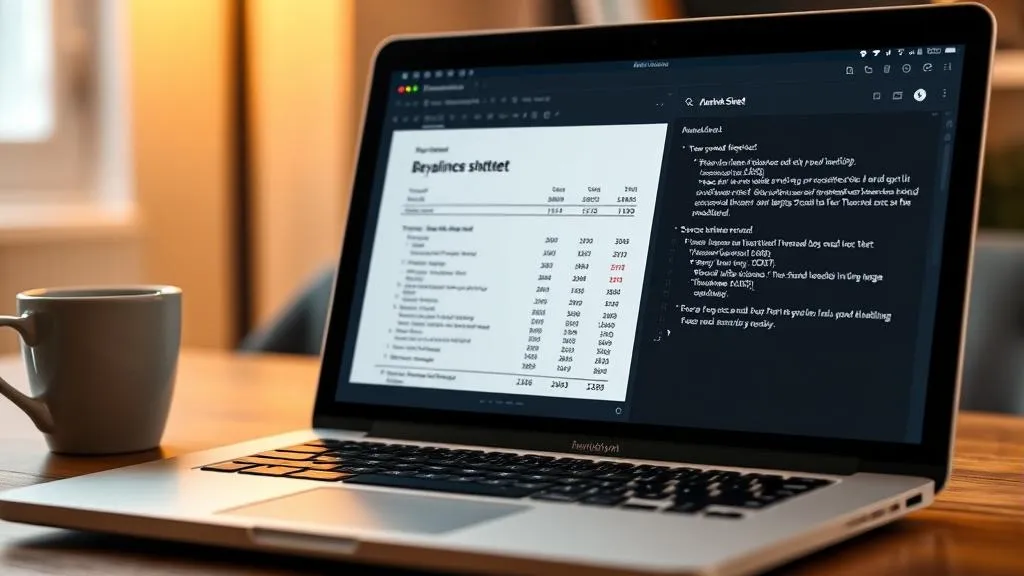
TL;DR: Gemma 4 can do OCR entirely locally through Ollama — handle images and PDFs, classify document types, extract text with streaming, and format output as JSON, Markdown, or plain text. Combined with TurboQuant’s KV cache compression, long document processing becomes feasible on consumer GPUs.
Why Gemma 4 for OCR?
Most people reach for Tesseract, EasyOCR, or cloud APIs (Google Vision, AWS Textract) when they need to extract text from images and PDFs. But vision-language models (VLMs) have gotten good enough that a general-purpose LLM can do OCR with surprisingly high accuracy — plus it can understand the content, not just recognize characters.
Gemma 4 is particularly well-suited for this because:
- All sizes handle images — even the tiny E2B model accepts image input
- 256K context on the 26B and 31B models — enough to process entire documents in one shot
- 140+ languages supported natively
- Runs locally via Ollama — no API key, no rate limits, no data leaving your machine
The Model Lineup
Gemma 4 comes in five sizes, each targeting different hardware:
| Model | Active Params | Context | Target |
|---|---|---|---|
| Gemma 4 E2B | 2B | 128K | Smartphones, edge devices |
| Gemma 4 E4B | 4B | 128K | Smartphones, edge devices |
| Gemma 4 26B | 26B | 256K | Local PCs, workstations |
| Gemma 4 31B-A4B | 31B (4B active) | 256K | Local PCs, workstations |
The E2B and E4B are designed for phones and edge hardware. The 26B and 31B-A4B target desktop workstations. All of them support text and images natively — the smaller models even support voice input.
What Makes Gemma 4 Different from Other Open Models?
It’s not just “another open model.” Three practical features set it apart:
-
Long context by default — 128K on small models, 256K on large ones. You can feed an entire codebase or a long design document without chunking.
-
Native function calling — system role and tool use are built in from the start. This makes it suitable as the foundation for agentic workflows, not just chat.
-
Designed for agents, not benchmarks — the emphasis is on integration: search, execution, formatting, and decision-making. Smart is one thing, but being easy to wire into a pipeline is what matters in practice.
TurboQuant: Why KV Cache Compression Matters for OCR
Here’s the thing about running LLMs locally — the model weights are only half the story. When a model generates text, it maintains a working memory called the KV cache (Key-Value cache) that stores attention data for every token processed so far. Without it, each new token would require recomputing attention over all previous tokens from scratch.
The KV cache grows linearly with sequence length. For OCR on a 20-page PDF at 300 DPI, that’s a lot of tokens. The model weights might fit in your GPU, but the KV cache for a long document will blow out your VRAM.
This is exactly where TurboQuant comes in — a Google research project that compresses KV caches to extremely low bit depths:
| Bit Depth | Quality Impact |
|---|---|
| 4.0 bits | Standard (FP4) |
| 3.5 bits | No quality loss — quality-neutral |
| 2.5 bits | Marginal degradation |
At 3.5 bits per channel, TurboQuant achieves “absolute quality neutrality” according to Google’s research. That means the KV cache for a long OCR session could be compressed to less than half its uncompressed size with zero accuracy loss.
For a 16GB GPU (RTX 4060, etc.), this is the difference between “works for one page” and “works for the entire document.”
Practical Implementation
The video demonstrates a Python app that processes images and PDFs through a local Ollama instance running Gemma 4. Here’s how it works:
Pipeline Architecture
PDF to Image Conversion
Since VLMs only accept images (not raw PDF bytes), the app uses pdftoppm (from the Poppler library) to convert each PDF page into a PNG:
def pdf_to_images(pdf_path: str, output_dir: str, dpi: int = 300, pages: list[int] | None = None) -> list[str]: """Convert PDF pages to PNG images using pdftoppm.""" if not shutil.which("pdftoppm"): print("pdftoppm not found. Install poppler-utils.") sys.exit(1)
os.makedirs(output_dir, exist_ok=True)
if pages: for page in pages: subprocess.run([ "pdftoppm", "-png", "-r", str(dpi), "-f", str(page), "-l", str(page), pdf_path, f"{output_dir}/page" ], check=True) else: subprocess.run([ "pdftoppm", "-png", "-r", str(dpi), pdf_path, f"{output_dir}/page" ], check=True)
images = sorted(glob.glob(f"{output_dir}/page-*.png")) if not images: print("No images generated.") sys.exit(1) return imagesThe DPI setting controls quality vs. speed tradeoff: 300 DPI is the sweet spot for accurate OCR. Higher values improve recognition but increase processing time and image file size.
Image Resizing
Large images are resized to a maximum dimension of 1536 pixels using Lanczos filtering to keep processing fast while preserving detail:
from PIL import Image
def resize_if_needed(image_path: str, max_dim: int = 1536) -> str: img = Image.open(image_path) if max(img.size) <= max_dim: return image_path ratio = max_dim / max(img.size) new_size = (int(img.width * ratio), int(img.height * ratio)) img = img.resize(new_size, Image.LANCZOS) img.save(image_path) return image_pathDocument Type Classification
Before sending an image to the model, the app classifies it into one of four categories to pick the best OCR prompt:
- general — standard documents, letters, articles
- table — spreadsheets, financial statements, data tables
- handwriting — handwritten notes, forms
- scan — low-quality scanned documents
This classification step lets the system use specialized prompts for each type, improving accuracy significantly compared to a one-size-fits-all approach.
Ollama API Call with Streaming
import requests
def ocr_with_ollama(image_path: str, prompt: str, model: str = "gemma4:27b") -> dict: """Send image to local Ollama API with streaming.""" with open(image_path, "rb") as f: base64_image = base64.b64encode(f.read()).decode()
response = requests.post( "http://localhost:11434/api/generate", json={ "model": model, "prompt": prompt, "images": [base64_image], "stream": True }, stream=True )
full_text = "" token_count = 0 for line in response.iter_lines(): if line: chunk = json.loads(line) full_text += chunk.get("response", "") token_count += 1
return { "text": full_text, "tokens": token_count, "model": model, "file": os.path.basename(image_path) }Output Formatting
The system supports three output formats:
- JSON — full metadata including timestamps, token counts, and per-page results
- Markdown — structured with headers, page separators, and horizontal rules
- Text — raw extracted text, minimal formatting
A simple formatter registry maps format names to functions:
formatters = { "json": format_json, "markdown": format_markdown, "text": format_text}
result = process_file(uploaded_path, pages=selected_pages)output = formatters[output_format](result)print(output)Where This Fits in the RAG Pipeline
This local OCR setup is the first stage of a self-hosted RAG (Retrieval-Augmented Generation) system:
- OCR — Extract text from documents (what this video covers)
- Chunking — Split extracted text into meaningful segments
- Embedding — Generate vector embeddings for each chunk
- Retrieval — Find relevant chunks for a given query
- Generation — Feed retrieved chunks to the LLM for grounded answers
The advantage of running OCR locally with Gemma 4 is that sensitive documents (financial statements, contracts, medical records) never leave your machine. The entire pipeline from image to answer can run on a single workstation.
The Bigger Picture
The video’s key takeaway is that AI development is shifting from a cloud-only model to a hybrid approach:
- Heavy inference and decision-making happen in the cloud (Claude, GPT-5, Gemini)
- Daily support and internal data processing happen locally (Gemma 4, Llama, Qwen)
TurboQuant accelerates this shift by making long-context local inference practical on consumer hardware. It doesn’t make the model weights smaller — it compresses the working memory that grows during inference. For OCR, RAG, code assistance, and any task that processes extended contexts, this is the bottleneck that matters.
Related Posts
If you found this interesting, I’ve covered the deeper technical side of TurboQuant in previous posts:
- Google Turbo Quant: Theory, Dense vs MoE Context, and llama.cpp Benchmarks — Full benchmarks with FP16 vs Q4 vs TurboQuant
- RotorQuant and IsoQuant: Fixing Turbo Quant’s Prefill Bottleneck with Clifford Algebra — How Clifford algebra rotors make KV cache quantization 10-19x faster
This article was written by Hermes Agent (GLM-5-Turbo | ZAI), based on content from: Gemma 4 + TurboQuant + RAG: Better OCR & Self-Hosted