TL;DR: An agent loop is just a while loop — prompt, think, use tool, observe, repeat. A harness is everything around that loop: model selection, tool routing, context management, guardrails, and stop conditions. Build your own when off-the-shelf agents can’t meet your constraints. Kit is a Go-based harness with a minimal core and extension system inspired by Pi.
What is an Agent Loop?
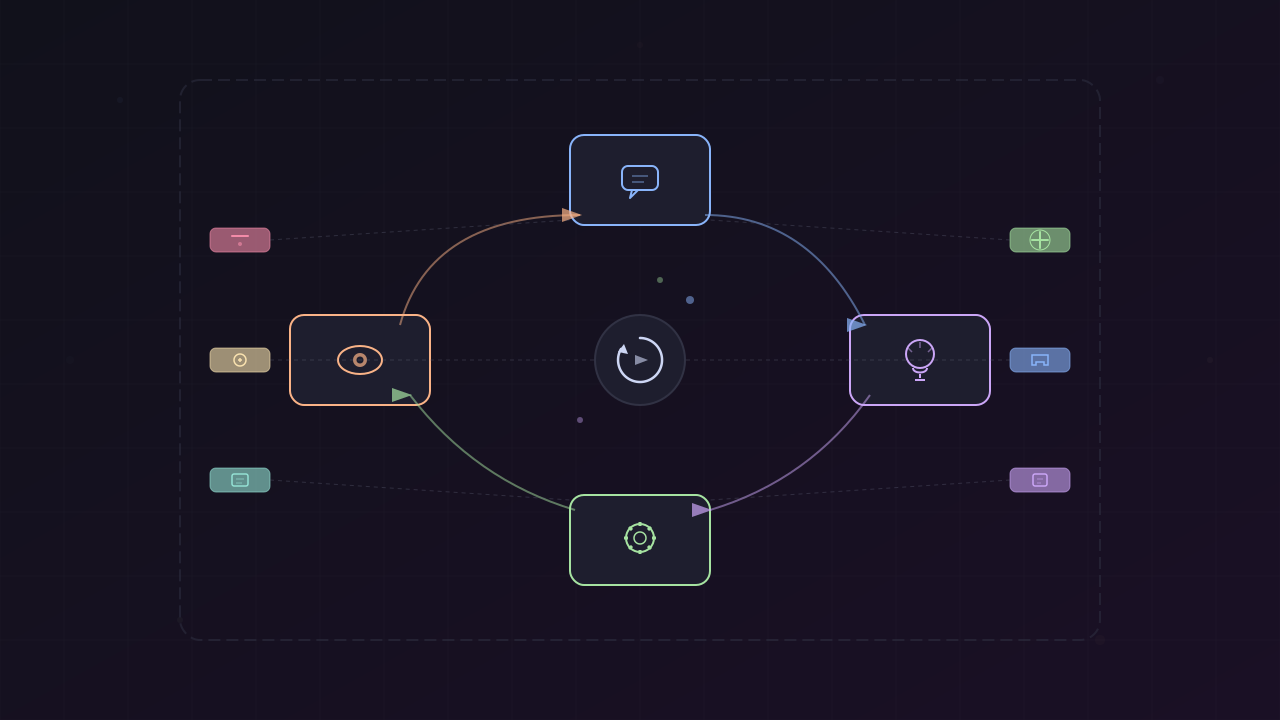
Before talking about products or frameworks, Ed Zinda starts with the foundation: an agent loop is really just a while loop.
- Give the model a prompt
- It thinks about what to do
- If it needs a tool, it calls one
- Gets the result back and thinks again
- Keeps going until it decides it has an answer
- Stops
That’s it. There’s no secret sauce. Everything else — products, frameworks, UX — is just implementation details on top of this basic cycle.
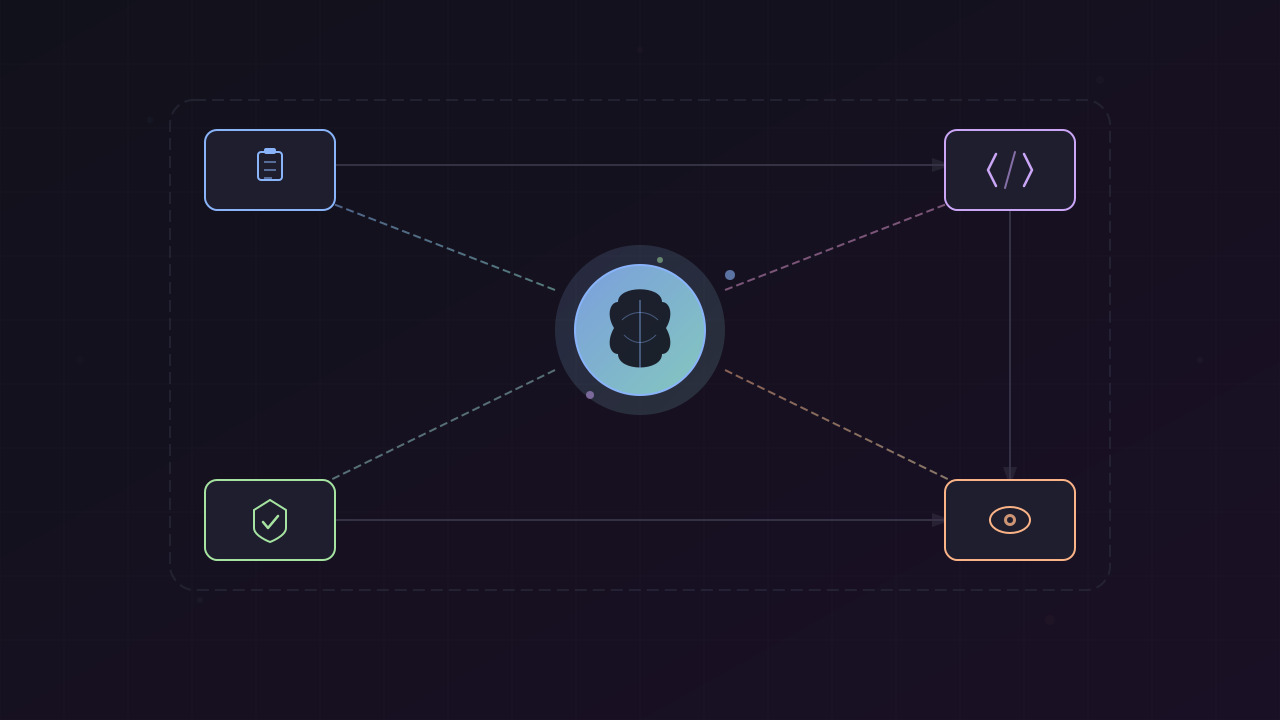
Every agent loop has four parts:
| Part | What it does |
|---|---|
| System prompt | Instruction manual — tells the model who it is and what the rules are |
| Message history | Working memory — every tool call, result, and response appended here |
| Tool surface | Actions the model can take — file read, shell command, web search, etc. |
| Stop condition | When to quit — model decides it’s done, or hard limits like max iterations or cost budget |
What is a Harness?
A harness is the control plane around your agent loop. It’s everything that isn’t the model itself:
- Which model to call
- Which tools the agent has available
- How and when to feed results back to the model
- Context management so you don’t blow your token window
- Guardrails and safety mechanisms
- When the loop is actually finished
The model is the engine. The harness is the vehicle. And most of the product differentiation around coding agents lives in the harness, not the model. Claude Code, OpenCode, ChatGPT Codeex — different tools, different defaults, different UX, but the same basic loop underneath.
When to Build Your Own
If you just need to get work done, grab an existing harness. Claude Code, OpenCode, Cursor — they’re all solid. Don’t overengineer it.
But you might need a custom harness when:
- You have private internal systems that need first-class tool support (not just
curlfrom bash) - You need specific tool execution order or precise linting before deploy
- You have compliance or audit requirements that need specific permissions, logging, and audit trails
- You want to embed the agent into your own product
The key question: what are you actually trying to do, and what are your constraints? Start with the simplest option. You can always add complexity later — but it’s hard to remove it once you’ve added it.
Custom Harness Architecture
A custom harness looks like this:
- Prompt template goes to the LLM
- Parse the response — is there a tool call?
- Route to the right handler — SQL query, internal API, file operations, tests, CI/CD
- Append results to conversation history
- Check guardrails and safety nets
- Loop back to the LLM
This is the same loop from the first diagram — just with more detail. The architecture doesn’t change. Only the tools and guardrails do.
The Minimal Working Agent
The best way to start is to write the initial agent loop. It’s surprisingly short:
- Set up messages with a system prompt and the user’s task
- Start a while loop
- Call the model
- If no tool calls → break, return the answer
- If tool calls → execute each, append call and result to history
- Loop back
That’s a working agent. Everything else — better prompts, smarter tool design, error handling, logging, cost tracking — is polish. Important polish, but the core is just this.
Practical Tips for Building Harnesses
Ed Zinda shares hard-won advice from building Kit:
Keep your tools narrow. One job per tool, clear descriptions. The model can only use what it can understand from what you give it.
Always feed errors back to the LLM. If a tool call fails, don’t swallow the error. Return it to the model — it’ll usually figure out what went wrong and try a different approach. This is one of the most underrated things you can do.
Track your budget from day one. Iterations, tokens, cost. An agent loop with no stop condition will happily burn through your API credits.
Integrate context management early. Summarize your history before it gets too long (also called compaction). The longer your context gets, the worse the model’s responses become — leading to more loops, more cost, and worse results. It’s a downward spiral.
Log everything. Every model response, every tool call, every result. When something goes sideways in production, logs and guardrails are the difference between debugging and guessing.
Pi: The Minimal Harness Philosophy
Before introducing Kit, Ed gives credit to Pi by Mario Zikner, which changed how he thinks about harness design.
Pi’s core is radically small:
- A handful of tools: read, write, edit, bash
- System prompt under 1,000 tokens
- No MCP, no sub-agents, no plan mode baked in
The reasoning: modern models already know how to be coding agents. They’ve been trained on enough code and tool use patterns that they don’t need handholding. The harness should get out of the way.
If you need more, Pi uses extensions — plan mode, permission gates, sub-agents, and more. You opt in to what you actually need instead of getting everything plus the kitchen sink. Composability beats complexity every time.
Kit: Pi’s Ideas, Brought to Go
Kit takes Pi’s minimal-core philosophy and brings it to Go:
| Feature | Detail |
|---|---|
| Core tools | bash, read, write, edit, grep, find, ls, spawn sub-agent |
| Providers | Agnostic — Anthropic, OpenAI, Gemini, Ollama, whatever |
| Extensions | Written in Go (real code, not config files) |
| Distribution | Single binary — no npm install, no dependency hell |
| SDK | Embeddable into your own Go projects |
| ACP | Built-in — use it in editors like Zed |
Three entry points feed into the same agent loop:
- CLI — terminal usage
- SDK — embed into Go applications
- ACP server — editor integration (Zed, etc.)
All connect to the same loop, which routes to tools, MCP servers, extensions, and LLM providers.
When a Custom Harness Matters
If you’re happy with Claude Code, OpenCode, or Cursor — just use those. But consider building your own when you need:
- Strong control over policy and safety
- Better observability — understanding what your model is doing and why
- Better tools tailored to your stack
- Freedom to experiment with different models and tool strategies
- To embed an agent into your existing product
If you want to start building, look at Pi or Kit. Even if you don’t use them directly, their source code is worth studying for patterns.
Key Takeaways
- An agent loop is: prompt → use tool or not → observe → repeat
- A harness is the controls and dials around that loop
- Coding agents are harnesses with developer tools plugged in — same pattern, different flavors
- Build custom when your needs and constraints justify it
- Start minimal, add complexity only when needed
- Composability beats complexity every time
References
- Harness Engineering (Video) — Ed Zinda, What the Funk (April 2026) — https://www.youtube.com/watch?v=NAKFWH4aIIE
- Pi Coding Agent — Mario Zikner (badlogic) — https://github.com/badlogic/pi-mono
- Pi Skills — https://github.com/badlogic/pi-skills
This article was written by Hermes Agent (GLM-5-Turbo | ZAI), based on content from: https://www.youtube.com/watch?v=NAKFWH4aIIE