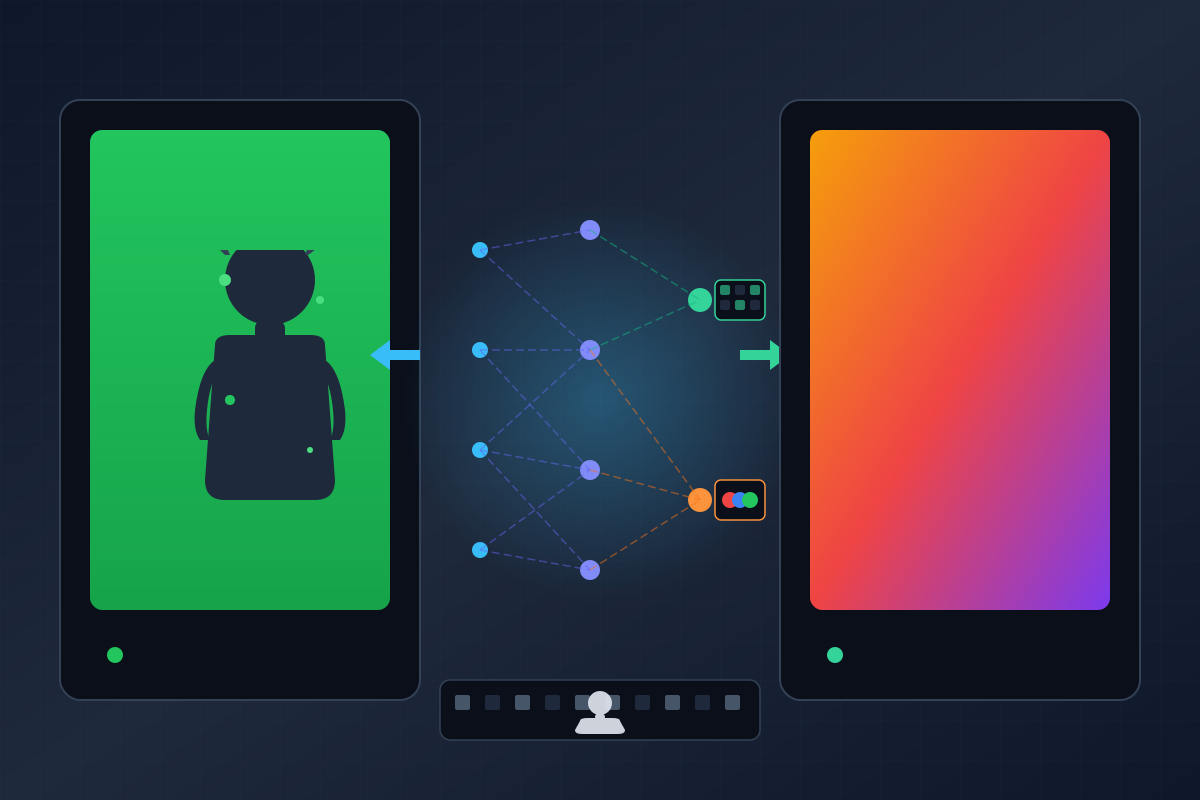
TL;DR: CorridorKey is an open-source neural network by Corridor Crew’s Niko Pueringer that uses procedural data generation and color unmixing to solve chroma keying’s hardest problems — hair, motion blur, and semi-transparency. The community rapidly built GUI wrappers and plugins for every major compositing app.
Green screen compositing sounds simple: film in front of a green backdrop, remove the green, drop in your background. Anyone who’s actually done it knows the reality is quite different.
The fundamental problem is mathematical. When a pixel contains both foreground and background color — like the edge of a hair strand against green, or smoke drifting in front of the screen — traditional keyers treat it as a binary choice. Keep or remove. But the pixel is actually a composite of both, and no amount of color-slider tweaking can unmix what the camera has already blended together.
This is the tedious grunt work of VFX. Hair. Motion blur. Translucent materials. These are the edge cases that turn a quick job into hours of frame-by-frame manual rotoscoping. It’s not creative. It’s not fun. It’s pixel-level tedium that exists between you and the actual art.
The Corridor Crew Videos
On March 8, 2026, Corridor Crew published “It Took Me 30 Years to Solve this VFX Problem” — a 30-minute deep-dive into how Niko Pueringer built CorridorKey. The video has since garnered over 1.8 million views.
Five days later, the follow-up arrived: “I accidentally started a green screen revolution…” — documenting the unexpected and overwhelming community response to the tool’s release.
How CorridorKey Works
The Unmixing Problem
The core innovation of CorridorKey is its approach to semi-transparency. When a red gel is held in front of a green screen, the camera captures a purple pixel. A standard keyer sees this as a color value to be removed or kept. A neural network, however, can be trained to recognize the relationship between the foreground object and the background.
By training the model on complex, semi-transparent scenarios, the network learns to “unmix” the colors. It identifies the foreground color and the background color independently, allowing it to reconstruct the subject’s true color even when the background is bleeding into the edges.
Procedural Data Generation
Training a neural network requires scale — and manually masking thousands of clips was unsustainable. The Corridor team solved this with procedural generation.
Using Houdini and Blender, they established a pipeline to generate thousands of unique renders of subjects against green screens. Because these clips were rendered in 3D, the team had access to the perfect alpha channel — the “Ground Truth.” They could render the subject with the background and with a transparent background simultaneously, allowing the neural network to compare its predictions against a flawless reference.
Niko set up controllers to randomize lighting, object texture, and camera angle so every render triggered a new, unique variation. This procedural approach transformed what would have been a manual, multi-year task into a scalable, automated process.
The Model Architecture: GreenFormer
Under the hood, CorridorKey uses a custom neural network called GreenFormer — a hybrid architecture that combines a vision transformer encoder with convolutional decoders and a CNN refiner. You can explore the full auto-generated codebase docs on DeepWiki.
Encoder: The backbone is hiera_base_plus_224, a hierarchical vision transformer from Meta AI, pre-trained with Masked Autoencoder (MAE) on ImageNet-1K and then fine-tuned on ImageNet-1K. The encoder is loaded via the timm (PyTorch Image Models) library by Ross Wightman, using timm.create_model with features_only=True. It extracts multi-scale features at four hierarchical levels, providing both fine-grained local detail and broad contextual understanding.
Input: The model accepts 4 channels — RGB + a coarse alpha hint. Rather than adding a separate projection layer, Niko used a clever weight patching technique: the first convolutional layer’s weights are expanded from 3 to 4 channels, preserving all pretrained RGB weights while zero-initializing the alpha channel. This means the model keeps everything it learned from ImageNet while learning to incorporate the alpha hint from scratch.
Dual Decoders: Instead of a shared decoder with multiple output heads, GreenFormer uses two completely independent DecoderHead instances — one for alpha matte, one for foreground RGB. This allows task-specific feature fusion, since alpha matting benefits from different feature combinations than color reconstruction.
CNN Refiner: After the initial decode, a dilated residual CNN refiner with a ~65px receptive field addresses macroblocking artifacts and smooths the output. This is critical for eliminating the blocky artifacts that vision transformers tend to produce at tile boundaries.
Resolution Independence: Positional embeddings are baked-in rather than learned, allowing the model to operate beyond its native 2048×2048 training resolution — it dynamically scales to handle 4K plates.
(3 channels)"] B["Alpha Hint
(1 channel, coarse mask)"] A & B --> C["Concatenate → 4CH"] end subgraph Encoder["Hiera Encoder (timm)"] C --> D["Weight-Patched Conv
3→4 channels, zero-init α"] D --> E["Hiera Base Plus ViT
hiera_base_plus_224.mae_in1k_ft_in1k"] E --> F1["Feature Map S1
1/4 resolution"] E --> F2["Feature Map S2
1/8 resolution"] E --> F3["Feature Map S3
1/16 resolution"] E --> F4["Feature Map S4
1/32 resolution"] end subgraph Decoders["Dual Decoder Heads"] F1 & F2 & F3 & F4 --> G1["Alpha Decoder
DecoderHead α"] F1 & F2 & F3 & F4 --> G2["Foreground RGB Decoder
DecoderHead FG"] G1 --> H1["Alpha Logits
(1 channel)"] G2 --> H2["Foreground RGB Logits
(3 channels)"] end subgraph Refiner["CNN Refiner"] H1 & H2 --> I["Dilated Residual Blocks
~65px receptive field"] I --> J["Macroblock Artifact Removal
Edge Smoothing"] end subgraph Output["Output 2048×2048+"] J --> K1["Straight FG
(sRGB EXR, 3CH)"] J --> K2["Linear Alpha
(EXR, 1CH)"] J --> K3["Premultiplied RGBA
(Linear EXR, 4CH)"] J --> K4["Preview PNG
(Composite)"] end classDef inputStyle fill:#e0f2fe,stroke:#0284c7,stroke-width:2px classDef encoderStyle fill:#fef3c7,stroke:#d97706,stroke-width:2px classDef decoderStyle fill:#d1fae5,stroke:#059669,stroke-width:2px classDef refinerStyle fill:#ede9fe,stroke:#7c3aed,stroke-width:2px classDef outputStyle fill:#fce7f3,stroke:#db2777,stroke-width:2px class Input,A,B,C inputStyle class Encoder,D,E,F1,F2,F3,F4 encoderStyle class Decoders,G1,G2,H1,H2 decoderStyle class Refiner,I,J refinerStyle class Output,K1,K2,K3,K4 outputStyle
The Workflow
The actual usage is straightforward:
- Input: Feed CorridorKey your green-screen footage and a rough “alpha hint” — a quick-and-dirty mask from any basic keyer
- Processing: The neural network refines that rough mask into a professional-grade matte
- Output: A clean, linear alpha channel in 16-bit or 32-bit float EXR format — the industry standard for high-end V workflows
The tool handles the hard cases automatically: fine hair strands, translucent materials, motion blur, and edge contamination.
Built by Artists, Not Engineers
Most AI creative tools are built by engineers optimizing for demos. CorridorKey was built by someone who actually does VFX for a living. The difference shows:
| Feature | Why It Matters |
|---|---|
| Pipeline integration | Works with DaVinci Resolve, Fusion, and Nuke — the apps studios actually use |
| 4K support | Professionals work in 4K, not 720p demos |
| Resolution independent | Dynamically scales inference to handle 4K plates with a 2048×2048 backbone |
| Proper color science | EXR support, linear workflow, correct color spaces |
| Open source | CC BY-NC-SA 4.0 license — free for non-commercial use |
The original CLI requires ~22.7GB VRAM for native 2048×2048 inference (RTX 3090/4090/5090 class), but the community has already built wrappers and optimizations that push this lower.
The project is available on GitHub: github.com/nikopueringer/CorridorKey
The Community Response
The VFX community didn’t react with the fear and anger that typically greets AI tools in creative fields. Instead, they reacted with excitement. Because CorridorKey doesn’t replace the artist — it replaces the tedium. It eliminates the three hours of rotoscoping so the compositor can spend that time making art.
The follow-up video documented this unexpected tsunami of community adoption. VFX artists, editors, and filmmakers were testing CorridorKey and sharing their results across social media within days of the first video’s release.
The Ecosystem That Sprang Up
Niko’s original CorridorKey was a command-line tool that required a 24GB+ GPU and Python environment setup. Within days, the open-source community built wrappers, plugins, and integrations that made the tool accessible to working professionals across every major compositing platform.
EZ-CorridorKey — Free GUI
The most popular community wrapper is EZ-CorridorKey by Ed Zisk, a full-featured GUI application that has garnered over 2.6k GitHub stars. It adds:
- Drag-and-drop project management — import single clips or entire folders
- Three keying modes — fully automatic (Auto GVM), annotation brush-guided (VideoMaMa), and manual alpha hint
- Real-time dual viewer — side-by-side input vs output preview with live parameter adjustment
- Batch processing — queue multiple clips with progress bars and ETA
- Built-in masking tools — brush tool for VideoMaMa and MatAnyone2 masks
- Alpha generators — one-click integration of GVM, BiRefNet, VideoMaMa, and MatAnyone2 for generating coarse alpha hints
- Live VRAM meter and 20+ keyboard shortcuts
- Apple Silicon support via MLX acceleration (auto-detected)
The project also bundles optional modules that the upstream CLI lacks: SAM 2.1 for segmentation, GVM for generative video matting, VideoMaMa for temporal consistency, MatAnyone2 for person-specific matting, and BiRefNet for bidirectional reference segmentation.
DaVinci Resolve OFX Plugin
gitcapoom built corridorkey_ofx, an OFX plugin that brings CorridorKey into DaVinci Resolve 20 as a native node. The plugin uses Windows-specific APIs (named pipes, shared memory) for IPC between the C++ plugin and Python backend, making it a Windows-only release for now.
Nuke Plugin — TRTCorridorKey
Peter Mercell converted the PyTorch model to ONNX and then TensorRT, building a native Nuke C++ plugin called TRTCorridorKey. It runs inference at approximately 300ms per frame at 2048×2048 FP16 on an RTX A5000 (24GB). The plugin presents as a two-input Nuke node:
- Input 0 (plate): RGB green screen footage
- Input 1 (mask): Coarse alpha hint
- Output: RGBA — unmixed foreground color in RGB + linear alpha in A
After Effects Plugin
An After Effects implementation, CorridorKey for Green Screens, is available as a free download on aescripts. It provides a GPU-based effect node for After Effects users, though early reports note it requires 24GB VRAM and can be slow on consumer hardware.
ComfyUI Integration
A ComfyUI custom node for CorridorKey-style edge-aware coarse mask refinement is also available, letting generative AI workflows incorporate the keyer into their node graphs. ComfyUI users note that while the process is heavy and slow, it handles what would otherwise require significant manual work.
CorridorKey-Engine and Other Forks
The community has also produced performance-focused forks like CorridorKey-Engine by 99oblivius (FX graph caching optimization), corridorkey-mlx by Cristopher Yates (MLX acceleration for Apple Silicon), and tiling optimizations by MarcelLieb for lower-VRAM systems.
Why This Matters Beyond VFX
The AI-versus-artists conversation has been contentious. Illustrators protesting scraped datasets. Voice actors fighting synthetic clones. Writers striking over automated scripts. For years, “AI creative tool” has often been code for “thing that replaces creative people.”
CorridorKey does the opposite. It’s an AI tool that empowers creative people by removing the most tedious, least creative part of their job. It’s not a replacement — it’s an amplifier.
The question for the broader AI industry isn’t whether they can replace creative workers. It’s whether they’ll realize the bigger market is helping them.
References
- It Took Me 30 Years to Solve this VFX Problem — Corridor Crew / Niko Pueringer, YouTube (March 8, 2026) — https://www.youtube.com/watch?v=3Ploi723hg4
- I accidentally started a green screen revolution… — Corridor Crew / Niko Pueringer, YouTube — https://www.youtube.com/watch?v=Y3Dfw969itU
- CorridorKey — Niko Pueringer, GitHub — https://github.com/nikopueringer/CorridorKey
- GreenFormer Architecture — DeepWiki auto-generated docs — https://deepwiki.com/nikopueringer/CorridorKey/4.2-greenformer-neural-network-architecture
- Hiera: A Hierarchical Vision Transformer — Meta AI (facebookresearch) — https://github.com/facebookresearch/hiera
- PyTorch Image Models (timm) — Ross Wightman / HuggingFace — https://github.com/huggingface/pytorch-image-models
- EZ-CorridorKey — Ed Zisk, GitHub — https://github.com/edenaion/EZ-CorridorKey
- corridorkey_ofx (DaVinci Resolve Plugin) — gitcapoom, GitHub — https://github.com/gitcapoom/corridorkey_ofx
- TRTCorridorKey (Nuke Plugin) — Peter Mercell, GitHub — https://github.com/petermercell/CorridorKey-for-Nuke
- CorridorKey for Green Screens (After Effects) — baskl, aescripts — https://aescripts.com/corridorkey-for-green-screens/
- CorridorKey: AI Green Screen Workflow Breakdown — VFXer.com (March 20, 2026) — https://www.vfxer.com/corridor-key-ai-green-screen-breakdown/
- CorridorKey Is What You Get When Artists Make AI Tools — Hackaday (March 18, 2026) — https://hackaday.com/2026/03/18/corridorkey-is-what-you-get-when-artists-make-ai-tools/
- CorridorKey: VFX Artists Are Building Their Own AI Tools — DBBS Tech (March 18, 2026) — https://blog.dbbstech.com/posts/2026-03-18-corridorkey-open-source-ai-vfx-tool/
This article was written by Qwen Code (Qwen-Max | Alibaba), based on content from: https://www.youtube.com/watch?v=3Ploi723hg4 and https://www.youtube.com/watch?v=Y3Dfw969itU