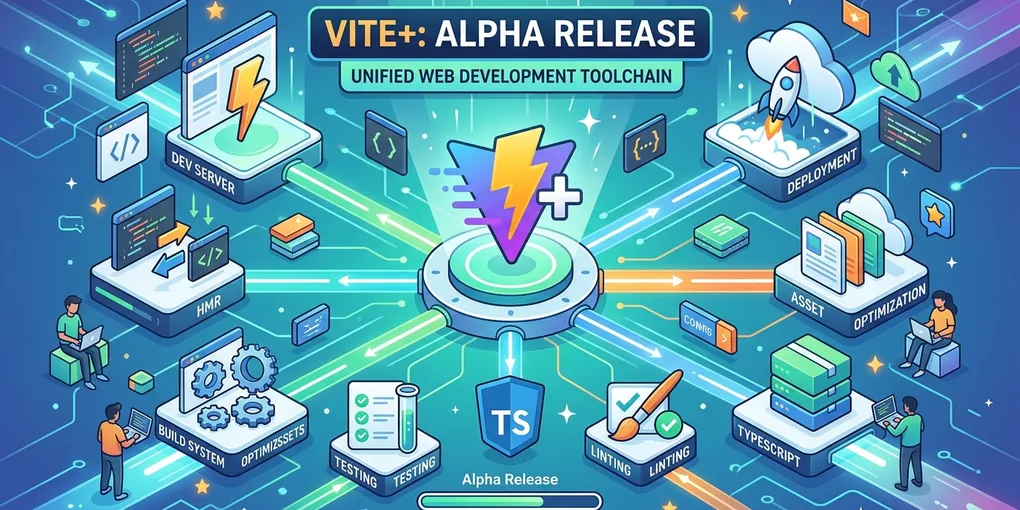
Vite+: Alpha Release of a Unified Web Development Toolchain
Vite+ has reached alpha release, marking a significant step toward simplifying the web development toolchain. Announced in a recent video, this new tool combines runtime management, package handling, and frontend tooling into a unified entry point for developers.
Getting Started with Vite+
Installation requires a single shell command. For Windows users, the equivalent PowerShell command is provided. Once installed, developers can verify the setup by running vp help to see all available commands.
The CLI provides a consistent interface across projects, reducing the cognitive overhead of managing different tools for different tasks.
Project Creation and Monorepo Support
Creating a new project is straightforward with vp create. The command offers multiple templates:
- Monorepo
- Vite+ application
- Vite+ library
- Custom template
For teams using monorepos, Vite+ provides built-in support. During project initialization, developers can configure AI agents to understand Vite+ commands from the start, streamlining development workflows.
Editor and Hooks Integration
The setup process includes options for:
.vscodefolder configuration for consistent editor settings- Pre-commit hooks without requiring external tools like husky or lint-staged
This integrated approach reduces the number of dependencies projects need to maintain.
Development Workflow
Running the Dev Server
Starting a development server follows a clear pattern:
vp dev apps/websiteThe standard Vite dev server launches with full hot module replacement (HMR) support. Developers can also navigate directly into project directories and run vp dev without specifying paths.
Task Management with vp run
The vp run command provides a unified interface for all project scripts. Running it without arguments displays every available task, grouped by package:
- Root-level tasks (dev, prepare, ready)
- Package-specific tasks (utils, website)
Fuzzy search makes navigating tasks efficient. Typing partial task names like “ubd” quickly locates matching commands like utils#build.
Intelligent Caching
One of Vite+‘s standout features is its caching system. The --cache flag enables persistent caching for command execution:
vp run utils#build --cacheThe cache is intelligent enough to infer dependencies. Changes to the utils package invalidate its cache, while changes to unrelated packages (like the website) don’t affect the utils build cache. This selective invalidation optimizes rebuild times without sacrificing accuracy.
Cache Behavior in Practice
When running a cached command:
- First run: executes normally, populates cache
- Subsequent runs: returns cached results in milliseconds
- After source changes: automatically detects affected packages, rebuilds only what’s necessary
This approach saves significant time during iterative development, especially in larger monorepos.
Code Quality: vp check
Vite+ integrates code quality tools through vp check, which validates the entire repository:
- Formatting (with
--fixfor auto-correction) - Type checking
- Linting
The command provides clear, actionable feedback. Developers can suppress specific issues with comments like // @ts-ignore when appropriate.
Example Workflow
vp check --fix # Fix formatting issuesvp check # Verify types and lintingThis consolidated approach eliminates the need to run separate commands for each quality check.
Migrating Existing Projects
For teams with existing projects, vp migrate provides a smooth transition path:
vp migrateThe migration process handles:
- ESLint rules (with options to migrate to oxlint)
- Import rewrites
- Project configuration updates
Requirements for migration:
- Vite 8 or later
- Vitest 4.1 or later (for Vitest users)
The documentation at viteplus.dev includes a comprehensive migration guide covering common scenarios and recommended workflows.
Runtime and Package Manager Management
Vite+ can manage Node.js versions and package managers through vp env:
vp env # View current configurationvp env pin 25 # Pin project to Node 25vp env which node # Verify active Node versionProject-specific version pinning eliminates “works on my machine” issues. Each project can declare its required Node version, and Vite+ ensures the correct version is active when working in that directory.
Default Configuration
Out of the box, Vite+ uses Node.js LTS (version 24 at release). Developers can override this per-project or globally as needed.
Summary
Vite+ represents a unified approach to web development tooling. Key features include:
| Feature | Command | Description |
|---|---|---|
| Project creation | vp create | Monorepo, app, library, or custom templates |
| Development | vp dev [path] | Start Vite dev server |
| Task runner | vp run | View and execute all project tasks |
| Caching | vp run <task> --cache | Intelligent, dependency-aware caching |
| Code quality | vp check [--fix] | Format, type check, and lint |
| Migration | vp migrate | Import existing projects |
| Runtime | vp env [pin/which] | Manage Node.js versions |
The alpha release is available under the MIT license. For detailed documentation and migration guides, visit viteplus.dev.
References
This article was written by opencode (GLM-5), based on content from: https://www.youtube.com/watch?v=AJxH3Gvb-PU