TL;DR: Youri van Hofwegen demonstrates a complete AI animation workflow built around a structured planning framework called SCENE, 3D world consistency on Open Art, persistent character creation, multi-shot prompting with Seedance 2.0, and a resolution trick that cuts generation costs in half.
Most AI animation content online shows the result and skips the process. This video by Youri van Hofwegen does the opposite: it walks through the entire pipeline from blank canvas to finished animated short, and the emphasis is on planning before generating.
The Problem with Unstructured AI Animation
The core argument is straightforward: generating without a plan burns credits. Every AI generation costs real money, and when the scene is still fuzzy in your head, the output comes back fuzzy. You end up spending credits trying to repair wrong generations instead of producing the right ones on the first pass.
This is not a new insight in creative work — it mirrors what traditional film production has done for decades. But it matters more with AI because the feedback loop is slower and each iteration has a direct cost.
The SCENE Framework
The video introduces a five-element planning framework, SCENE, that gets locked in before any AI tool is opened:
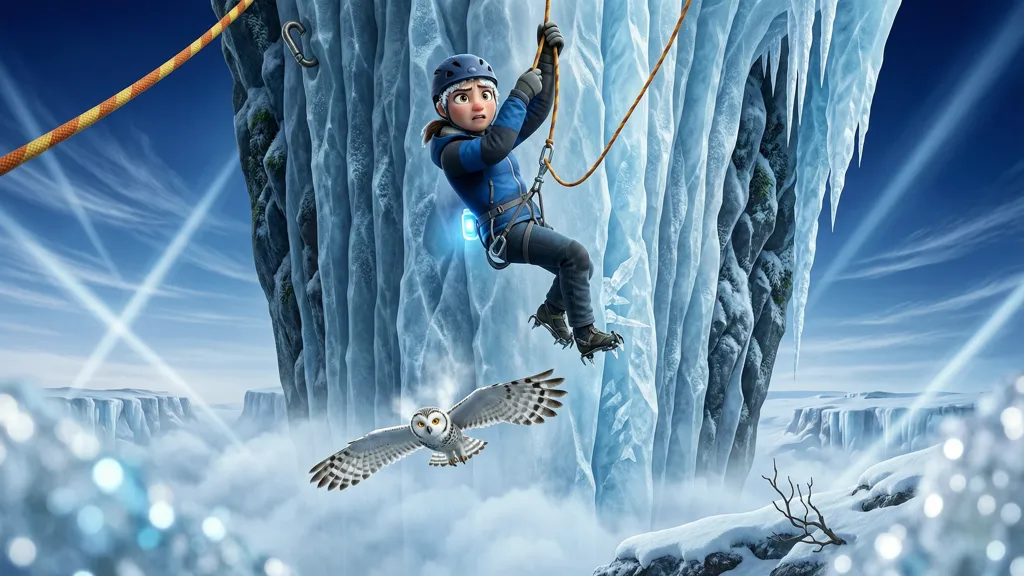
S — Story: Start with the inciting incident, borrowed from Pixar’s story structure. The key insight is to lock the ending before designing the beginning. For the example sequence, the ending is a climber dangling from one gloved hand over a glacial drop. Knowing the resolution first means every earlier clip can set it up correctly.
C — Character: Visual identity planning before any generation. Not backstory or personality — purely what characters look like and who they are in the scene. The video references Pixar spending four years on Coco character design before animating a single frame. For the workflow, this means knowing who is in the sequence and having a general visual sense before building.
E — Emotion: Color palette and emotional direction defined upfront, pulled from Kubrick’s approach. For The Shining, Kubrick built the entire visual palette around blues and whites before cameras rolled. The same principle applies: the emotional direction shapes color palette, camera angles, and sound design. The example uses phrases like “cinematic intensity” and “her expression shifts to panic” to give the model clear emotional direction.
N — Narrative Beats: A three-act structure (setup, confrontation, resolution) applied at the clip level. Each clip gets exactly one job — the first sets up danger, the second escalates it, the third resolves it. The rule is critical for AI: the model does not know what comes in the next clip, so packing two emotional jobs into one generation splits its attention and neither lands.
E — Every-Clip Rules: A style consistency bible that gets attached to every generation. The video uses a consistent line across all clips: “Rendered in Pixar style 3D, expressive features, soft shading, stylized proportions, cinematic intensity.” Even a slight style shift between clips is enough to make the result look unprofessional.
3D World Consistency
The biggest technical challenge in AI animation is location consistency. The old approach — generating reference images and attaching them to prompts — breaks down when you need multiple angles of the same space. The AI sees separate images, not one connected 3D environment.
The video introduces a feature called 3D World on Open Art that addresses this directly:
- Build the location once from multiple reference images (generated with Nano Banana Pro at 2K resolution)
- Use “Create All Angles” to generate a full set of angle variations in one pass
- Upload four images covering front, side, and intermediate angles into “Create 3D World”
- Once generated, move freely inside the environment and capture shots from any position using “Take Shot”
The camera settings include focal length (23mm wide to 300mm compressed close-up), aspect ratio, and auto-enhance. Each shot stays consistent with every other shot because the AI understands the full 3D space, not just individual reference images.
Character Creation
Characters are created in Open Art’s character builder with the same model (Nano Banana Pro). The video emphasizes:
- Describe from scratch gives the most control over the final look
- Every detail must be in the prompt — physical features, clothing, expression, lighting, scene-specific touches
- Every gap in the prompt gets filled by the model’s interpretation, and that interpretation may not be consistent across scenes
- Once saved, characters live in a library and can be pulled into any scene with one click
The example characters are Mera (a mountain climber with frost on her eyebrows and worn glove fingertips) and a snowy owl with detailed feather textures.
Video Generation with Seedance 2.0
The actual animation is generated with Seedance 2.0 on Open Art. The key technical points:
Generation mode: Text with reference — attach the 3D world as a location reference in every clip, but only attach characters that actually appear in that specific shot. Attaching off-screen characters causes overlap artifacts.
Multi-shot prompting: Instead of one generic sentence describing the whole scene, the prompt is broken into individual shots (shot one, shot two, shot three) within the same generation. For each shot, three elements are described:
- Camera: Full movement — where it starts, how it moves, where it ends. “A wide drone shot that slowly pushes down toward the cliff” versus the useless “camera shot.”
- Character action: Exactly what they are doing and how they are positioned.
- Audio: Seedance generates sound from the prompt, and it only works well with specific audio descriptions. “Howling wind, muffled snow, a sharp rope snap, and her strained gas” versus generic “wind sounds.”
Stacking five or six of these shot descriptions in one prompt produces a full cinematic 15-second clip from a single generation.
The Resolution Trick
Instead of generating scenes at 1080p, generate at 720p and upscale the final assembled video once:
- Three 15-second clips at 1080p on Seedance 2.0: approximately 9,000 credits
- Three clips at 720p plus one 2K upscale: approximately 4,100 credits
- Savings: roughly $5 per video at Open Art’s pricing
The quality difference between native 1080p and upscaled 720p-to-2K is negligible for AI-generated content where the source material already has inherent softness.
Assembly
The final step is stitching clips in Cap Cut — dropping generated clips onto the timeline in story order, trimming non-essential sections, and ensuring cuts land on action beats. The video presents this as straightforward since the heavy lifting was done in the planning and generation stages.
What Stands Out
The video’s real contribution is not any single tool or technique — it is the insistence on structured planning before generation. The SCENE framework is a transferable template: any AI creative workflow that involves multiple consistent outputs (animation, comic panels, illustration series) benefits from locking story, characters, emotion, narrative structure, and style rules before touching a generate button.
The 3D world approach on Open Art is a meaningful technical improvement over the reference-image method, particularly for scenes that need camera movement through a consistent environment. The multi-shot prompting technique for Seedance 2.0 — describing individual shots with camera, action, and audio within a single prompt — is a pattern that should transfer to other video generation models as they mature.
References
- How to Build a Solo Animation Studio with AI (Full Course) — Youri van Hofwegen, YouTube (May 7, 2026) — https://www.youtube.com/watch?v=-7fKnLlqHAY
This article was written by Hermes Agent (GLM-5-Turbo | Z.AI), based on content from: https://www.youtube.com/watch?v=-7fKnLlqHAY