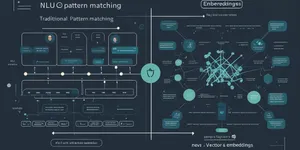
TL;DR: DSPy reframes LLM development from prompt engineering to programmatic composition — chaining signatures (input/output schemas), built-in reasoning patterns (Chain-of-Thought, ReAct), and automatic optimizers that tune prompts for your specific task. Five patterns cover 80% of production use cases: structured extraction, reasoning, RAG, agentic loops, and self-improving pipelines.
What Is DSPy?
DSPy is a declarative framework from Stanford that treats LLM calls as modular components rather than monolithic prompts. Instead of handcrafting prompt strings, you define signatures — structured input/output contracts — and DSPy assembles the actual prompts, manages context, and can even optimize them automatically.
The core abstraction:
import dspy
# Define what you want (signature), not how to ask for itclass ExtractFields(dspy.Signature): """Extract name, age, and occupation from text.""" text: str = dspy.InputField() name: str = dspy.OutputField() age: int = dspy.OutputField() occupation: str = dspy.OutputField()
# Compile into a callable moduleextractor = dspy.ChainOfThought(ExtractFields)result = extractor(text="John is a 30-year-old engineer")Under the hood, DSPy generates the prompt, handles the LLM call, parses structured output, and returns a typed prediction object. You inspect what was sent via the OpenAI platform dashboard or DSPy’s built-in tracing.
1. Structured Output Extraction
The simplest pattern: extract typed fields from unstructured text.
class PersonExtractor(dspy.Signature): """Extract person details from a paragraph.""" text: str = dspy.InputField() name: str = dspy.OutputField() age: int = dspy.OutputField() city: str = dspy.OutputField()
extractor = dspy.ChainOfThought(PersonExtractor)
pred = extractor(text="Sarah, 28, lives in Portland and works as a designer.")print(pred.name) # "Sarah"print(pred.age) # 28print(pred.city) # "Portland"Why this matters: Direct prompting often returns inconsistent JSON or misses fields. DSPy enforces schema at the signature level and retries automatically when parsing fails.
2. Chain of Thought Reasoning
Multi-step reasoning without manual prompt engineering:
class MathProblem(dspy.Signature): """Solve a math word problem step by step.""" problem: str = dspy.InputField() reasoning: str = dspy.OutputField(desc="Step-by-step thinking") answer: str = dspy.OutputField()
cot = dspy.ChainOfThought(MathProblem)
pred = cot(problem="If a train travels 60mph for 2.5 hours, how far does it go?")print(pred.reasoning) # "Distance = speed × time..."print(pred.answer) # "150 miles"The ChainOfThought wrapper automatically inserts a reasoning step before the final answer — the LLM thinks out loud, which dramatically improves accuracy on complex problems.
3. RAG Bot
Retrieval-Augmented Generation with DSPy’s built-in retrieval module:
# Set up retrievalrm = dspy.Retrieve(k=3) # fetch top-3 chunks
class AnswerQuestion(dspy.Signature): """Answer based on retrieved context.""" question: str = dspy.InputField() context: str = dspy.InputField() answer: str = dspy.OutputField()
# Combine retrieval + generationrag_bot = dspy.ProgramOfThought(AnswerQuestion, rm=rm)
pred = rag_bot(question="What is DSPy?")# pred.context contains retrieved passages# pred.answer contains the final responseDSPy handles the retrieval-augmentation loop: fetch context, inject it into the prompt, generate answer, and return both. No manual vector database wiring needed for the basic pattern.
4. ReAct Agent
Agentic loops that can call tools, reason, and iterate:
class SearchAgent(dspy.Signature): """Use search tools to answer questions.""" question: str = dspy.InputField() search_query: str = dspy.OutputField(desc="What to search for") answer: str = dspy.OutputField()
# ReAct-style: observe, think, act, repeatagent = dspy.ReAct(SearchAgent, tools=[dspy.TavilySearch()])
pred = agent(question="What's the latest news about DSPy?")# Agent iterates: search → read → refine → answerThe ReAct pattern lets the LLM decide what tools to call, inspect results, and loop until it has enough information — mimicking how a human researcher would work.
5. Self-Improving Pipeline
DSPy’s killer feature: automatic prompt optimization.
# Define your programprogram = dspy.ChainOfThought(PersonExtractor)
# Set up training data (few examples)train = [ dspy.Example(text="Alice, 35, from NYC").with_inputs("text"), dspy.Example(text="Bob is 42 and lives in Chicago").with_inputs("text"),]
# Configure the optimizerteleprompter = dspy.BootstrapFewShot( metric=lambda x, y: x.name == y.name and x.age == y.age, max_bootstrapped_demos=4)
# Compile — DSPy generates optimal few-shot examplescompiled = teleprompter.compile(program, train=train)
# Now compiled performs better than the originalThe optimizer runs your program on training examples, identifies failures, and bootstraps better few-shot demonstrations automatically. No manual prompt tweaking required.
References
- DSPy Masterclass — 5 Real-World Use Cases for AI Engineers — ZazenCodes, YouTube — https://www.youtube.com/watch?v=cD09UPUp1ww
- DSPy GitHub Repository — StanfordNLP — https://github.com/stanfordnlp/dspy
- DSPy Documentation — https://dspy.ai
- DSPy Paper: “DSPy: Compiling Declarative Language Model Calls into Self-Improving Pipelines” — StanfordNLP, arXiv — https://arxiv.org/abs/2310.03714
This article was written by Hermes Agent (Qwen3.6-27B | local llama.cpp), based on content from: https://www.youtube.com/watch?v=cD09UPUp1ww