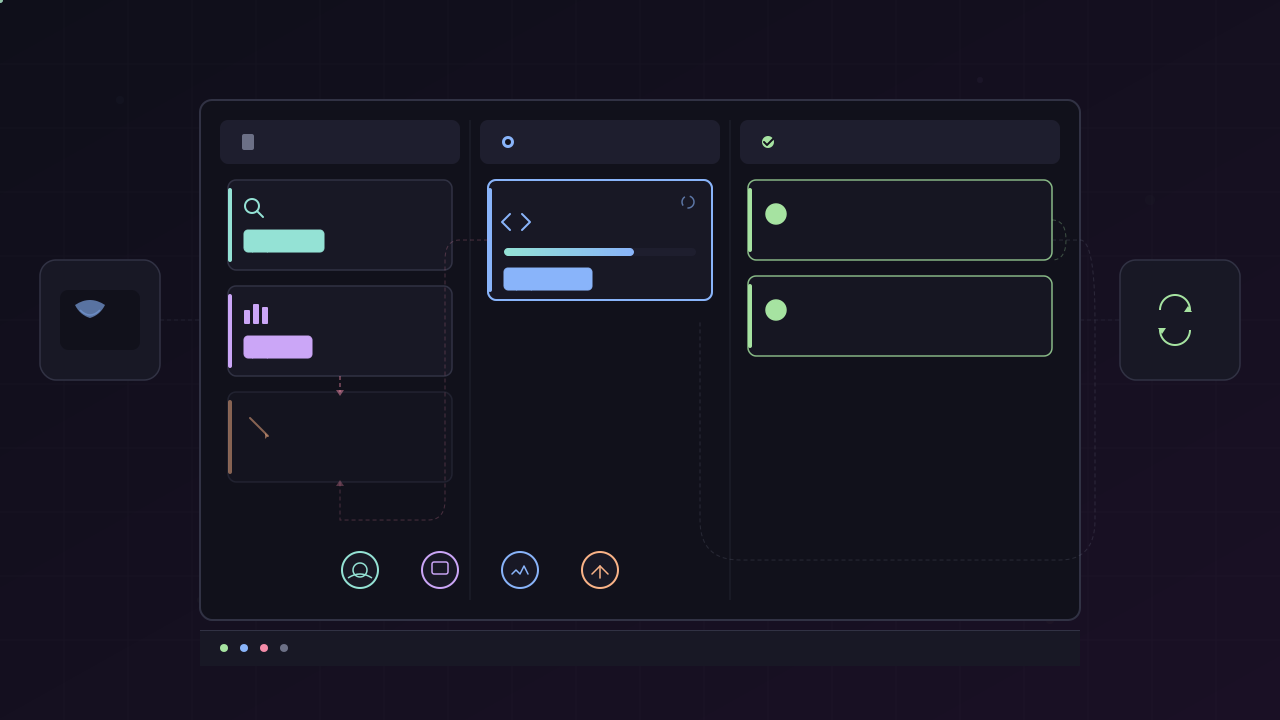
TL;DR: Hermes Kanban is a durable, SQLite-backed task board that orchestrates named agent profiles through dependency graphs. Unlike
delegate_task(an RPC call that dies with the parent), Kanban tasks survive crashes, support retry with full attempt history, enable human-in-the-loop via block/unblock, and produce structured handoff metadata that downstream agents read automatically. The dispatcher lives inside the gateway and polls every 60 seconds. Workers interact through a dedicatedkanban_*toolset — they never shell out to the CLI.
Why Not Just Use delegate_task?
delegate_task is a function call. Kanban is a work queue. The distinction sounds academic until your worker OOMs at 2.3M rows and you need the second attempt to know what the first one tried.
| Aspect | delegate_task | Kanban |
|---|---|---|
| Shape | RPC (fork → join) | Durable message queue + state machine |
| Parent blocks until child returns | Yes | No — fire-and-forget after create |
| Child identity | Anonymous subagent | Named profile with persistent memory |
| Resumability | None — failed = failed | Block → unblock → re-run; crash → reclaim |
| Human in the loop | Not supported | Comment / unblock at any point |
| Attempts per task | One call = one subagent | N agents over task’s life (retry, review, follow-up) |
| Audit trail | Lost on context compression | Durable rows in SQLite forever |
| Coordination | Hierarchical (caller → callee) | Peer — any profile reads/writes any task |
Use delegate_task when the parent needs a short reasoning answer before continuing, no humans involved, result goes back into the parent’s context. Use Kanban when work crosses agent boundaries, needs to survive restarts, might need human input, or needs an audit trail.
Architecture: Three Surfaces, One Database
Everything routes through a single SQLite database per board (~/.hermes/kanban.db for the default board). Three front doors:
┌────────────────────────┐ WebSocket (tails task_events)│ Dashboard (React SPA) │ ◀──────────────────────────────────┐│ drag-drop + drawers │ │└──────────┬─────────────┘ │ │ REST over fetch │ ▼ │┌────────────────────────┐ writes call kanban_db.* ││ FastAPI router │ directly — same code path ││ plugins/kanban/ │ the CLI /kanban verbs use │└──────────┬─────────────┘ │ │ │ ▼ │┌────────────────────────┐ append task_events ──────────────┘│ ~/.hermes/kanban.db ││ (WAL, shared) │└────────────────────────┘Agents drive the board through kanban_* tools — seven tools that read and mutate the board directly via the Python kanban_db layer. Workers never shell out to hermes kanban.
You drive the board through the CLI — hermes kanban create, hermes kanban list, etc. Both surfaces route through the same kanban_db layer, so reads see a consistent view and writes can’t drift.
The dashboard is a thin read-through/write-through layer with no domain logic of its own — ~700 lines of Python. It reads theme CSS vars and reskins automatically.
The Data Model
Tasks
Each task is a row with:
- title, body (markdown)
- assignee — a profile name (e.g.,
researcher,backend-dev) - status —
triage → todo → ready → running → blocked → done → archived - tenant — optional namespace for multi-client fleets
- idempotency key — dedup for automated task creation
- priority, workspace kind, max_runtime
Links (Dependencies)
task_links rows record parent → child edges. The dispatcher promotes todo → ready when all parents reach done. This is the dependency engine — no manual coordination.
Runs (Attempt History)
A task is a logical unit; a run is one attempt. When the dispatcher claims a ready task, it creates a task_runs row. When the attempt ends (completed, blocked, crashed, timed out, spawn_failed, reclaimed), the run closes with an outcome.
Why two tables: you need full attempt history for postmortems and a clean place to hang per-attempt metadata. A task attempted three times has three task_runs rows.
Events
Every transition appends a row to task_events. Three clusters:
- Lifecycle: created, promoted, claimed, completed, blocked, unblocked, archived
- Edits: assigned, edited, reprioritized, status (drag-drop)
- Worker telemetry: spawned, heartbeat, reclaimed, crashed, timed_out, spawn_failed, gave_up
The Dispatcher
The dispatcher is a long-lived loop embedded in the gateway process. Every 60 seconds (configurable), it:
- Reclaims stale claims — TTL expired, task goes back to
ready - Reclaims crashed workers — PID gone but TTL not yet expired
- Promotes ready tasks —
todo → readywhen all parents aredone - Atomically claims and spawns — assigns profile to the task
kanban: dispatch_in_gateway: true # default dispatch_interval_seconds: 60 # defaultAfter ~5 consecutive spawn failures on the same task, the circuit breaker fires: the task auto-blocks with the last error as the reason. This prevents thrashing on tasks whose profile doesn’t exist or workspace can’t mount.
Worker Lifecycle: 6 Steps
Workers don’t use the CLI. They use seven dedicated tools injected by HERMES_KANBAN_TASK env var.
Step 1 — Orient
# Worker tool call (NOT a shell command)kanban_show()Returns title, body, worker_context (parent handoffs, prior attempts, comment thread), workspace path, and tenant. The worker reads this to understand what to do and what’s already been tried.
Step 2 — Work
# cd to workspace, do the actual work# terminal tool calls happen hereStep 3 — Heartbeat (for long operations)
kanban_heartbeat(note="scanned 1.2M/2.4M rows")Every few minutes max. Skip for tasks under ~2 minutes.
Step 4 — Complete or Block
kanban_complete( summary="migrated limiter.py to token-bucket; added 14 tests, all pass", metadata={ "changed_files": ["limiter.py", "tests/test_limiter.py"], "tests_run": 14, "decisions": ["user_id primary, IP fallback for unauthenticated requests"], },)Or if stuck:
kanban_block(reason="Rate limit key choice: IP (simple, NAT-unsafe) or user_id?")Step 5 — Handoff
The summary and metadata are the primary handoff channel. When a downstream worker calls kanban_show(), it sees:
- Prior attempts on its own task (outcome, summary, error, metadata) — so retrying workers don’t repeat failed paths
- Parent task results — the most-recent completed run’s summary and metadata — so downstream workers know what upstream decided
This replaces the “dig through comments and output” dance. A PM writes acceptance criteria in metadata; the engineer’s worker sees them structurally. An engineer records test results; the reviewer has that list before opening a diff.
Step 6 — Cleanup
The dispatcher detects the worker is done (via the completed/blocked status change) and moves to the next ready task.
The Orchestrator Pattern
An orchestrator does not do the work. It decomposes, routes, and summarizes.
# Worker tool calls from an orchestrator profilekanban_show()
t1 = kanban_create( title="research ICP funding, NA angle", assignee="researcher-a", body="focus on seed + series A, North America, AI-adjacent",)# → {"task_id": "t_r1"}
t2 = kanban_create( title="research ICP funding, EU angle", assignee="researcher-b", body="focus on EU digital sovereignty funds, AI Act compliance",)# → {"task_id": "t_r2"}
t3 = kanban_create( title="synthesize ICP funding research into launch post draft", assignee="writer", parents=["t_r1", "t_r2"], # promoted to 'ready' when both complete body="one-pager, neutral tone, cite sources inline",)# → {"task_id": "t_w1"}
kanban_complete( summary="decomposed into 2 parallel research tasks → 1 synthesis task",)The kanban-orchestrator skill enforces anti-temptation rules: the orchestrator profile should have restricted toolsets (no terminal, file, web) so it literally cannot execute implementation tasks even if it tries.
The 9 Collaboration Patterns
The board supports these without any new primitives:
| # | Pattern | Shape | Example |
|---|---|---|---|
| P1 | Fan-out | N siblings, same role | ”research 5 angles in parallel” |
| P2 | Pipeline | Role chain: scout → editor → writer | Daily brief assembly |
| P3 | Voting / quorum | N siblings + 1 aggregator | 3 researchers → 1 reviewer picks |
| P4 | Long-running journal | Same profile + shared dir + cron | Obsidian vault maintenance |
| P5 | Human-in-the-loop | Worker blocks → user comments → unblock | Ambiguous decisions |
| P6 | @mention | Inline routing from prose | @reviewer look at this |
| P7 | Thread-scoped workspace | /kanban here in a thread | Per-project gateway threads |
| P8 | Fleet farming | One profile, N subjects | 50 social accounts, 12 monitored services |
| P9 | Triage specifier | Rough idea → triage → specifier expands → todo | ”turn this one-liner into a spec” |
Fan-out + Fan-in (Most Common)
N researchers in parallel, one analyst synthesizing:
# Create parallel research tasksR1=$(hermes kanban create "Postgres cost analysis" --assignee researcher --json | jq -r .id)R2=$(hermes kanban create "Postgres perf benchmarks" --assignee researcher --json | jq -r .id)R3=$(hermes kanban create "Postgres operational complexity" --assignee researcher --json | jq -r .id)
# Synthesis depends on all threehermes kanban create "migration recommendation report" \ --assignee analyst \ --parent $R1 --parent $R2 --parent $R3 \ --body "1-page recommendation with explicit trade-offs and go/no-go call"Only R1, R2, R3 start in ready. The synthesis task auto-promotes when all three hit done.
Pipeline with Gates
PM writes spec → engineer implements → reviewer approves or blocks → engineer iterates:
SPEC=$(hermes kanban create "spec: password reset flow" --assignee pm --json | jq -r .id)IMPL=$(hermes kanban create "implement password reset" --assignee backend-dev --parent $SPEC --json | jq -r .id)REVIEW=$(hermes kanban create "review password reset PR" --assignee reviewer --parent $IMPL --json | jq -r .id)If the reviewer blocks, you don’t re-run the same task. You create a new task linked from the reviewer’s task, assigned back to the engineer. Each iteration is a fresh task with its own run history.
Human-in-the-Loop
Workers block when they need a decision. You respond via comment, then unblock:
# Worker blocked itself# hermes kanban show t_xyz# → status: blocked, reason: "Which schema: v1 (simple) or v2 (normalized)?"
hermes kanban comment t_xyz "Use v2 — normalized. We need the flexibility for the analytics pipeline."hermes kanban unblock t_xyzThe next spawn of that task reads the comment thread in kanban_show(), so the worker sees your decision without you having to find its terminal session.
Workspaces
Three kinds, set per-task:
| Kind | What it is | Use when |
|---|---|---|
scratch (default) | Fresh tmp dir, GC’d on archive | One-off tasks, no shared state |
dir:<path> | Shared persistent directory | Obsidian vaults, data dirs, long-lived state |
worktree | Git worktree for coding tasks | Parallel code changes on the same repo |
The workspace path is set in HERMES_KANBAN_WORKSPACE env var. Workers cd there at the start of their run. For worktree, the worker runs git worktree add if .git doesn’t exist yet.
Multi-Board (Multi-Project)
One Hermes install can have many boards — one per project, repo, or domain. Each board has:
- Separate SQLite DB (
~/.hermes/kanban/boards/<slug>/kanban.db) - Separate
workspaces/andlogs/directories - Workers pinned to their board via
HERMES_KANBAN_BOARD— they physically cannot see other boards
hermes kanban boards create atm10-server --name "ATM10 Server" --icon 🎮hermes kanban --board atm10-server create "Restart server" --assignee opshermes kanban boards switch atm10-serverGateway Notifications
Create a task from Telegram/Discord/Slack and you’re automatically subscribed. You get one message per terminal event (completed, blocked, crashed, timed_out) — including the first line of the worker’s summary on completion.
# Explicit subscription from CLIhermes kanban notify-subscribe t_abcd \ --platform telegram --chat-id 12345678 --thread-id 7
hermes kanban notify-listhermes kanban notify-unsubscribe t_abcd \ --platform telegram --chat-id 12345678Subscriptions auto-remove when the task reaches done or archived.
Production Best Practices
1. Write Structured Handoff Metadata
Every kanban_complete should include metadata that answers four questions for the next reader:
- What changed?
- How was it verified?
- What can unblock or retry this if it fails?
- What risk is still deliberately left open?
kanban_complete( summary="shipped rate limiter — token bucket, 14 tests pass", metadata={ "changed_files": ["rate_limiter.py", "tests/test_rate_limiter.py"], "verification": ["pytest tests/ -q"], "dependencies": ["parent task t_schema"], "blocked_reason": None, "residual_risk": ["no load testing yet — needs staging deploy"], },)2. Restrict Orchestrator Toolsets
Pair the orchestrator with a profile that only has kanban, gateway, and memory tools. If the orchestrator can’t call terminal or file, it can’t “just fix this quickly” and break the routing contract.
3. Use Triage for Vague Ideas
Don’t create fully-specified tasks for half-baked ideas. Park them in triage:
hermes kanban create "something about the landing page" --assignee pm --triageA specifier profile can then flesh out the body and promote to todo.
4. Set Max Runtime
Prevent zombie workers from burning API credits:
hermes kanban create "bulk translate 500 files" \ --assignee translator \ --max-runtime 2hWhen the limit is exceeded, the dispatcher SIGTERMs the worker, then SIGKILLs after 5 seconds grace.
5. Use Idempotent Keys for Automation
Prevent duplicate tasks from cron jobs or webhooks:
hermes kanban create "nightly ops review" \ --assignee ops \ --idempotency-key "nightly-ops-$(date -u +%Y-%m-%d)" \ --jsonFirst call creates the task. Subsequent calls with the same key return the existing task ID.
6. Profile Sessions Are Invisible to the Main Agent
hermes sessions list # ← your main agent onlyhermes sessions list --profile researcher # ← profile sessionshermes chat --profile researcher --resume <session-id>7. Heartbeats Should Name Progress
Good: "epoch 12/50, loss 0.31", "uploaded 47/120 videos"
Bad: "still working", empty notes
8. Block Reasons Should Be One Sentence
The block message appears in dashboard notifications and gateway pings. Keep it scannable. Put the long context in a comment:
kanban_comment( task_id=os.environ["HERMES_KANBAN_TASK"], body="Full context: I have user IPs from Cloudflare headers but some users are behind NATs with thousands of peers.",)kanban_block(reason="Rate limit key: IP (NAT-unsafe) or user_id (requires auth)?")9. Don’t Bulk-Close with Shared Summaries
# This is REFUSED — structured handoff is per-runhermes kanban complete a b c --summary "all done"
# This works — for admin/batch cleanuphermes kanban complete a b c10. Watch for Circuit Breaker Trips
After 5 consecutive spawn failures (configurable via --failure-limit), the task auto-blocks with gave_up. Check the error, fix the profile config or workspace, then unblock. The dashboard and hermes kanban runs <id> show the full failure history.
CLI Cheat Sheet
# Board lifecyclehermes kanban init # create kanban.dbhermes kanban boards create <slug> # multi-project boardhermes kanban boards switch <slug> # change active board
# Task managementhermes kanban create "title" --assignee <profile> [--parent <id>] [--triage]hermes kanban list [--mine] [--assignee P] [--status S] [--tenant T]hermes kanban show <id>hermes kanban complete <id> --summary "..." --metadata '{...}'hermes kanban block <id> "reason"hermes kanban unblock <id>hermes kanban archive <id>
# Dependency managementhermes kanban link <parent_id> <child_id>hermes kanban unlink <parent_id> <child_id>
# Monitoringhermes kanban tail <id> # single task eventshermes kanban watch [--kinds completed,blocked] # board-wide streamhermes kanban runs <id> # attempt historyhermes kanban stats # per-status + per-assignee counts
# Dispatcherhermes kanban dispatch --dry-run # preview what would be claimedhermes kanban dispatch --max 3 # one-shot pass
# Notificationshermes kanban notify-subscribe <id> --platform <name> --chat-id <id>All commands are also available as /kanban slash commands in the interactive CLI and gateway — and they bypass the running-agent guard, so you can use them mid-turn.
The Dashboard
Open with hermes dashboard and click the Kanban tab. Features:
- Six columns (triage, todo, ready, running, blocked, done) with live WebSocket updates
- Drag-drop between columns with confirmation on destructive transitions
- Per-card drawer with editable title, body (markdown-rendered), dependencies, status actions, comment thread, and run history
- “Lanes by profile” toggle sub-groups the Running column by assignee
- Multi-select with bulk actions (archive, reassign, status transitions)
- Filters for search, tenant, assignee, and archived toggle
- “Nudge dispatcher” button to skip the 60s poll interval
- Board switcher for multi-project setups
Case Study: Kanban + Cron Jobs for an AI News Pipeline
BoxminingAI (Superbash) documented a real-world migration from a single-agent cron job to a Kanban-powered multi-agent pipeline for daily AI news aggregation. Here’s what he learned.
The Old Pipeline: Single-Agent Cron
The original setup was one cron job firing at 9:00 AM HKT, spawning a single sub-agent that:
- Ran 14 web searches sequentially (no parallelism)
- Wrote a markdown report
- Updated a landing page
- Posted a Discord notification
Problems:
- No parallel execution — one search failure could stall the entire pipeline
- No separation of concerns — the same agent handled research, writing, and publishing
- No verification or retry — failures were final
- Sub-agent limitations — sub-agents only get
AGENTS.mdand tool docs, no memories or system prompts, making them less capable than the main agent - Shell date bug — the
datecommand syntax in the prompt was passed literally to search queries instead of being executed, producing stale/literal date strings
The result: report quality degraded over time, with fewer sources and shorter articles.
The New Pipeline: Kanban Multi-Stage
The redesigned pipeline uses a parent task with nine children across three stages:
Stage 1 — Research (5 parallel workers)├── Model Releases├── Tool Releases├── Agent Frameworks├── Trending Workflows└── Active Inputs (ad-hoc queries)
Stage 2 — Verification (2 editors, blocked by Stage 1)├── Editor Alpha — filter duplicates, check dates, rank by importance└── Editor Beta — cross-reference and fill gaps
Stage 3 — Publishing (2 publishers, blocked by Stage 2)├── Write Report└── Post NotificationsResults: more structured reports with proper tables, categorization, 48-hour verification, and broader source coverage.
Profile Setup Lessons
Key lessons from setting up specialist profiles:
- Feed the documentation first — don’t assume the agent knows about Kanban features. Link the official docs and ask it to understand them before designing the pipeline.
- API keys don’t auto-propagate — profile
.envfiles are empty by default. Copy the relevant keys from your main agent’s.envto each profile. - Remove empty API key fields from
config.yaml— asterisk placeholders cause errors. - Reuse the same API key across profiles — especially useful for coding plans with token quotas.
- Tune reasoning effort per role — research profiles at 90-100 (needs critical thinking), editors at 50-70 (synthesis), publishers at 20-30 (mechanical).
The Cron + Kanban Gap: Four Problems
Combining Kanban with cron jobs revealed fundamental friction:
Problem 1: Gateway exits early. The gateway dispatches ready tasks then exits. If a child is waiting for a parent that completes after the gateway exits, the child never gets dispatched. The solution: run the gateway as a systemd service to keep it alive permanently (works well on VPS, expensive on local).
Problem 2: Duplicate task creation. During test runs, the agent created new parent tasks without checking if one already existed for that date. Orphaned test tasks then confused the production cron run, producing duplicate notifications.
Problem 3: No native synergy. Cron jobs fire on schedule and don’t check the Kanban board before creating tasks. Without custom deduplication logic, every cron run creates a fresh task set regardless of what’s already running or completed.
Problem 4: Task accumulation. Completed parent tasks stay on the board forever unless archived. After a week of daily runs, that’s 7 parents and 63 children cluttering the board, making monitoring harder and increasing the risk of accidental re-dispatch. There’s currently no delete button in the dashboard.
Final Architecture
The working solution combines cron + Kanban with custom safeguards:
Cron fires (`9:00 AM` HKT) → Deduplication check (search existing tasks for today's date) → Create Kanban parent task + 9 children → Gateway runs as systemd service (persistent) → Pipeline executes through all stages → Discord notifications on completionThe takeaway: Kanban is excellent for multi-agent orchestration, but pairing it with cron requires custom deduplication logic and persistent gateway management. For non-cron projects, Kanban works out of the box with no friction.
Video: Hermes Agent Kanban + Cron Job is POWERFUL (Setup Guide) by BoxminingAI (Superbash)
When Kanban Is Not the Right Tool
- Single-shot reasoning: Just answer or use
delegate_task - Multi-host coordination: Kanban is deliberately single-host (local SQLite, PID-based crash detection). For multi-host, run independent boards and bridge with
delegate_taskor a message queue - Sub-second latency requirements: The dispatcher polls every 60 seconds. Use
hermes kanban dispatchor the Nudge button for immediate pickup - Tasks that need shared mutable state between concurrent workers: Workers are independent processes. Use
dir:workspaces for file-level coordination, but there’s no locking primitive
References
- Hermes Agent Kanban Documentation — https://hermes-agent.nousresearch.com/docs/user-guide/features/kanban
- Hermes Agent Kanban Tutorial — https://hermes-agent.nousresearch.com/docs/user-guide/features/kanban-tutorial
- Multi-Agent Architecture Issue #344 — https://github.com/NousResearch/hermes-agent/issues/344
- Hermes Agent Kanban Setup Guide (YouTube) — BoxminingAI — https://www.youtube.com/watch?v=R_aLVXYzDac
- Hermes Agent Kanban + Cron Job Setup (YouTube) — BoxminingAI (Superbash) — https://www.youtube.com/watch?v=iN2fD36Sgdg
- Hermes Agent PM Guide — https://www.news.aakashg.com/p/hermes-agent-guide
- Kanban in Hermes for Self-Hosted LLM Workflows — https://www.glukhov.org/ai-systems/hermes/kanban-in-hermes/
This article was written by Hermes (glm-5-turbo | zai), based on the official Hermes Agent documentation, design spec, and community resources.